- Category
- Anti-Fake
Want to Quit Telegram? Here’s How to Delete Your Account Forever

Telegram’s reputation for security is under fire, with founder Pavel Durov accused of ties to Russian authorities and the app’s finances raising new doubts. If you’ve decided it’s time to leave the platform for good, here’s how to permanently delete your Telegram account—step by step.
 Prefer U24 Media on Google
- Authors

-29a1a43aba23f9bb779a1ac8b98d2121.jpeg "Photo of Illia Kabachynskyi")
Telegram is a popular cloud-based messaging app founded by a Russian-born tech entrepreneur, Pavel Durov. Durov has been accused of cooperating with the Russian authorities, while the messenger itself is described as far from secure. There are also questions about how Telegram is funded, as the service remained unprofitable until 2024. Critics of Telegram recommend using WhatsApp for daily communication with family and friends, and Signal for more secure conversations. However, we encourage users to research privacy and security practices themselves before choosing any platform, to ensure their personal safety and peace of mind.
Here, we explain how to permanently delete your Telegram account.
Important: Deleting the app from your computer or smartphone does not mean deleting your account. It’s a separate process that must be done manually. Below is a step-by-step guide.

Delete Telegram via browser
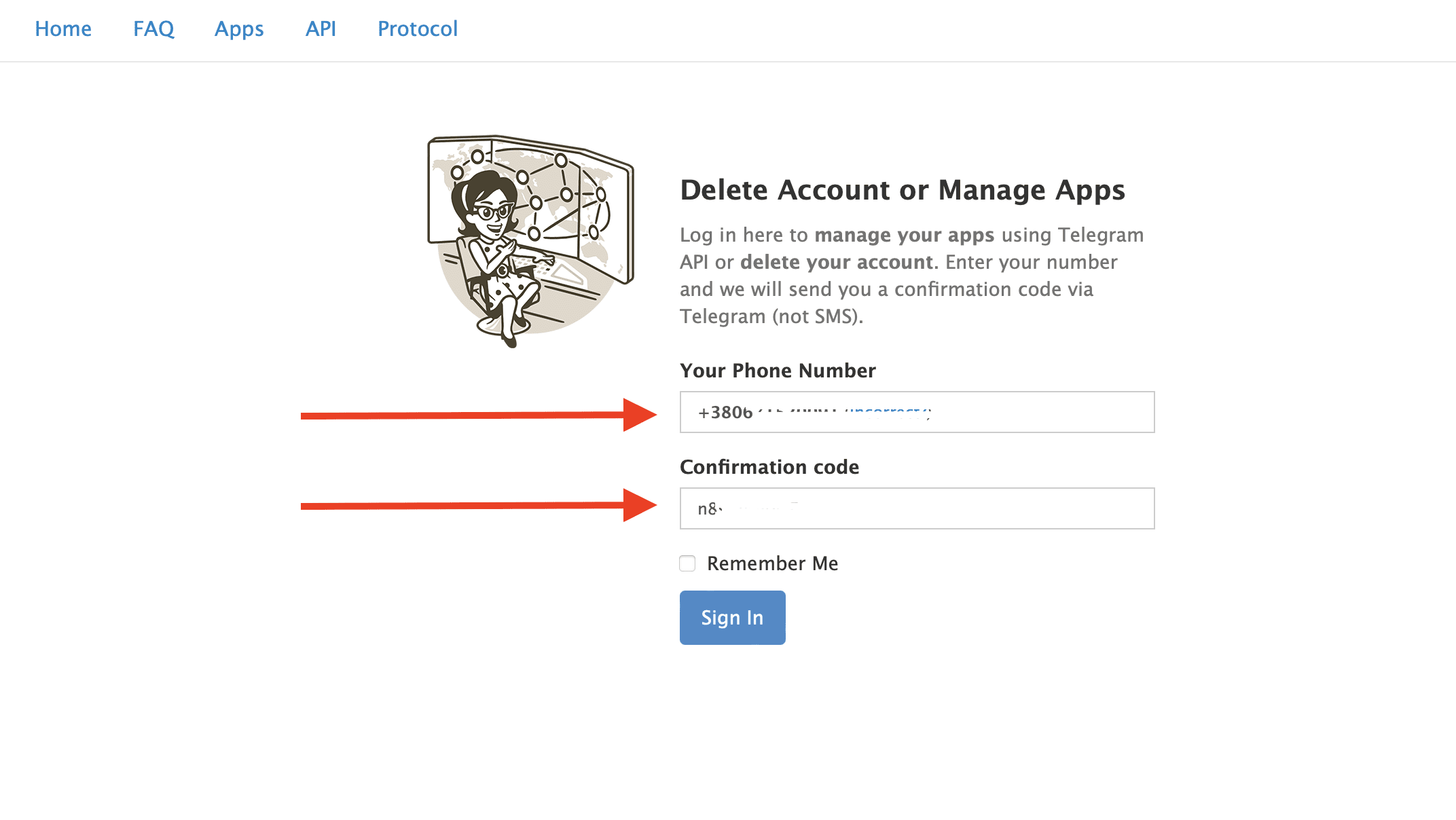
The easiest and fastest way to delete Telegram is through a browser. To do this, go to this link. In the window that appears, enter the phone number linked to your account and then the confirmation code that will be sent directly to your Telegram app on your computer or phone.
After logging in, click Delete My Account and then confirm by clicking Yes, delete my account.
What happens to groups, channels, and contacts after deletion
After final confirmation, the account is permanently deleted. You cannot recover or restore it, even if you change your mind moments later.
Your personal account data, chats, photos, videos, voice messages, contacts, and other content associated with your account will be removed. In other users’ chats, your profile will appear as a deleted account.
Groups and channels are not automatically removed when you delete your account. If you created or manage any groups or channels and want them deleted or transferred, you should do so before deleting your account.
If you realize that deleting your account might be an impulsive decision that you could later regret, you can choose another option.
Automatic Telegram account deletion
If you prefer not to delete your account manually, Telegram offers an auto-deletion option.
In Settings → Privacy and Security, select the Delete my account section and set the number of months after which your account will be automatically deleted if you don’t log in to Telegram. The minimum period is one month.
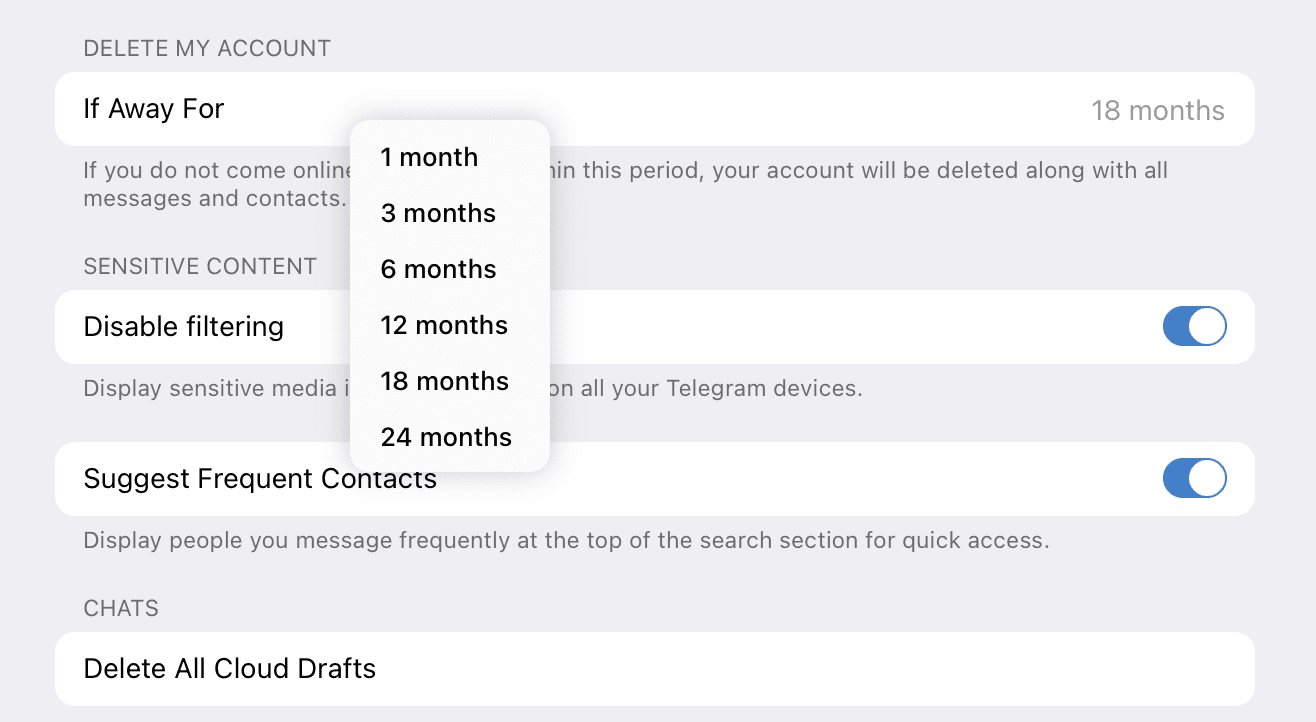
In this way, you can delete the app on every device you have, stay out of Telegram for a month, and if you really don’t need the messenger, it will be deleted automatically.
Deactivate vs. delete Telegram
Deleting Telegram permanently removes your account and data. Uninstalling the app simply removes it from your device while leaving your account, chats, and contacts intact. Unlike some platforms, Telegram does not allow users to temporarily deactivate their accounts.
How to delete a Telegram account on iPhone, Android, and desktop app
If you want to delete your account from your smartphone, for example, follow these steps:
Settings → General → Telegram FAQ
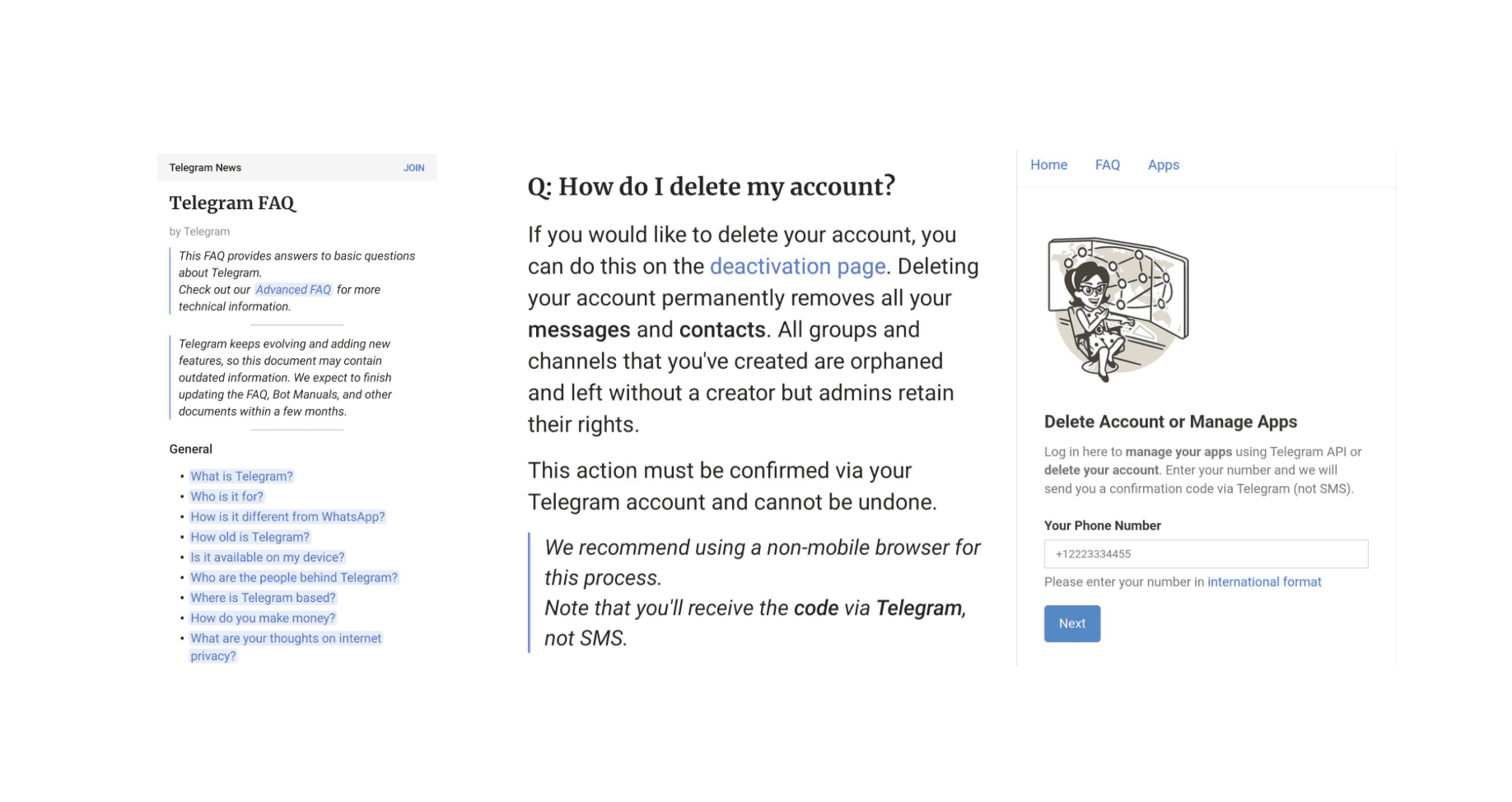
Then scroll down several screens until you reach the question directory. Find the Your Account section and tap Delete your Telegram Account.
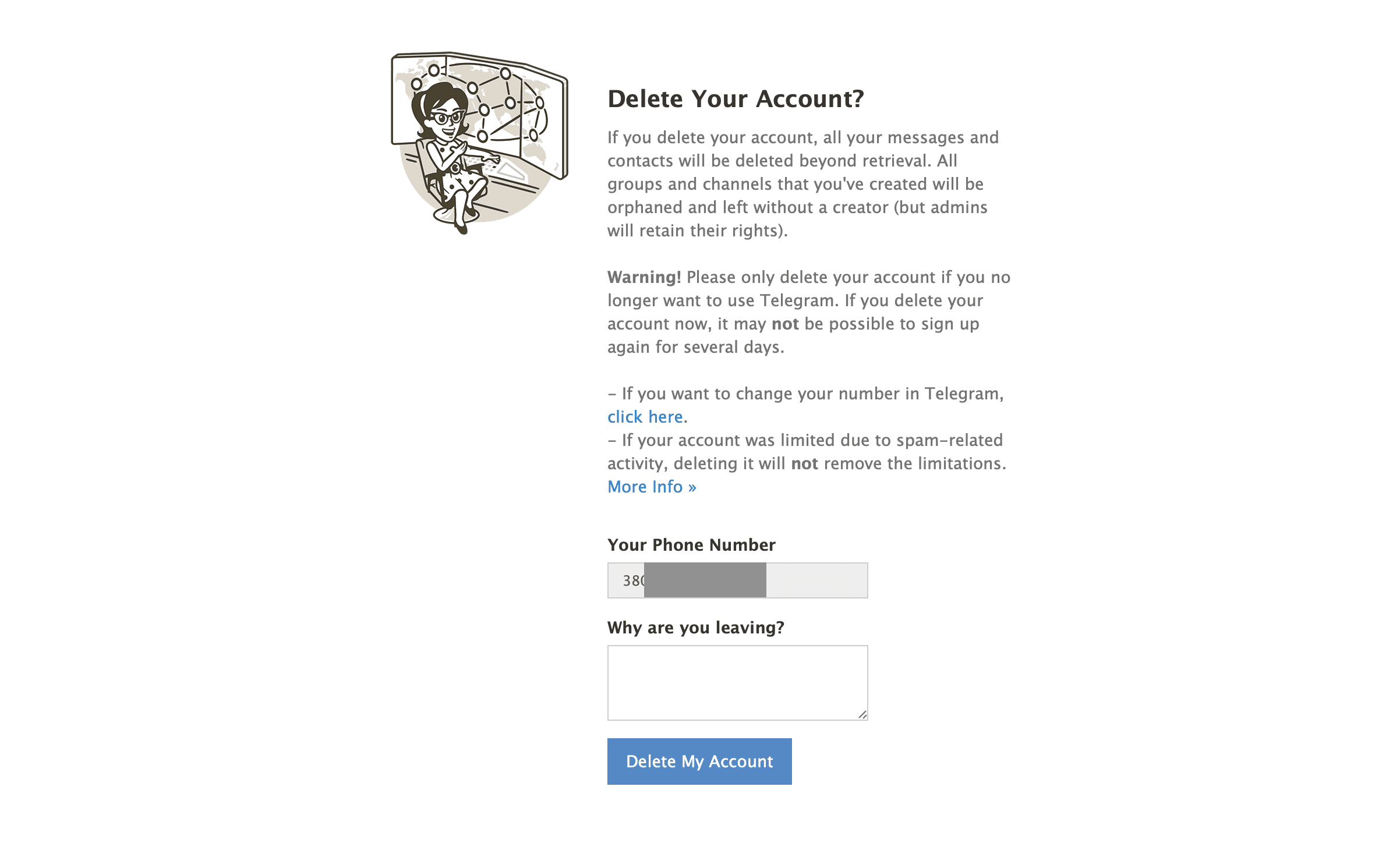
The text will contain a link to the same deletion page mentioned earlier. The process is identical: enter your phone number and confirmation code, click Delete account, and confirm again by selecting Delete My Account.
You can follow the exact same steps to delete your account from the Telegram desktop app—the windows and sequence are identical.
Important: If you plan to change your phone number, there is no need to delete your Telegram account. You can simply change your number—this feature is built into the app. In this case, all your information will be preserved.
Settings → My Profile
Tap your phone number and select Change number. That’s all you need to do.
You also don’t need to delete your account if you’ve changed your device and want to start using the messenger on a new one. In that case, simply delete the app from the old device—that’s enough.
Can you create a new Telegram account?
Yes, you can create a new account later using the same phone number. However, it will be a fresh account with no previous chats or data—it will be a completely new, clean account.
Deleting your Telegram account is irreversible, so make sure it’s the right move for you. While deleting Telegram is straightforward, it also reminds us to think critically about where and how we communicate online. Explore the privacy policies and reputations of different platforms to find the one that best protects your data and aligns with your values.
Discuss this article:


FAQ
Can someone still message me after I delete my Telegram account?
No. Once your account is deleted, other users can no longer contact that account.
Can I use the same phone number after deleting Telegram?
Yes. You can create a new Telegram account using the same phone number, but your previous chats, contacts, and settings will not be restored.
Will people know that I deleted my Telegram account?
In existing chats, your profile will typically appear as a deleted account rather than under your previous profile name.

-72b63a4e0c8c475ad81fe3eed3f63729.jpeg "Photo of Cyril Barabaltchouk")